
GitHub Copilot Review
The most widely deployed AI coding assistant, wired straight into GitHub, VS Code, and the tools engineers already live in. Excellent value at $10 a month, with a usage-based billing model that rewards reading the fine print.

GitHub Copilot is the default AI pair programmer for most engineering teams, and in 2026 it is a genuinely strong product rather than just the incumbent. Pricing is clear and cheap to start: a real Free tier at $0, Pro at $10 a month, Pro+ at $39 a month, Max at $100 a month, Business at $19 per user per month, and Enterprise at $39 per user per month. Inline completions and next-edit suggestions are unlimited on every paid plan and cost nothing extra, while chat, agent mode, code review, and the CLI draw from a monthly allowance. The big 2026 change is billing: on June 1 GitHub swapped fixed premium-request quotas for token-metered AI Credits, so heavy agent users can now run over their included pool. The strongest reasons to buy are ecosystem depth and multi-model access: Claude, GPT, and Gemini in one subscription, first-class VS Code, JetBrains, Neovim, and Visual Studio support, plus Copilot on github.com and in the CLI. The catch is that it is best inside the GitHub and Microsoft world, chat quality swings with the model you pick, and it has historically felt less agentic than Cursor. The closest alternatives are Cursor, Devin Desktop, Amazon Q Developer, and Zed.
Key factsBest for: Professional engineers and teams already on GitHub who want…
- The default AI coding assistant, deeply integrated with GitHub and priced to win, with multi-model access across Claude, GPT, and Gemini.
- Launched: 2021
- Vendor: GitHub (Microsoft)
- Alternatives covered: Cursor, Devin Desktop (formerly Windsurf), Amazon Q Developer, Zed
Pros
- Unbeatable value: a real Free tier and a $10 Pro plan with unlimited completions.
- Multi-model access to Claude, GPT, and Gemini in one governed subscription.
- Works everywhere engineers already do: VS Code, JetBrains, Neovim, the CLI, and github.com.
Cons
- Premium chat and agent usage are metered, and heavy users can hit overage costs.
- Historically less agentic and autonomous than Cursor for big multi-file tasks.
- At its best inside the GitHub and Microsoft ecosystem; chat quality varies by chosen model.
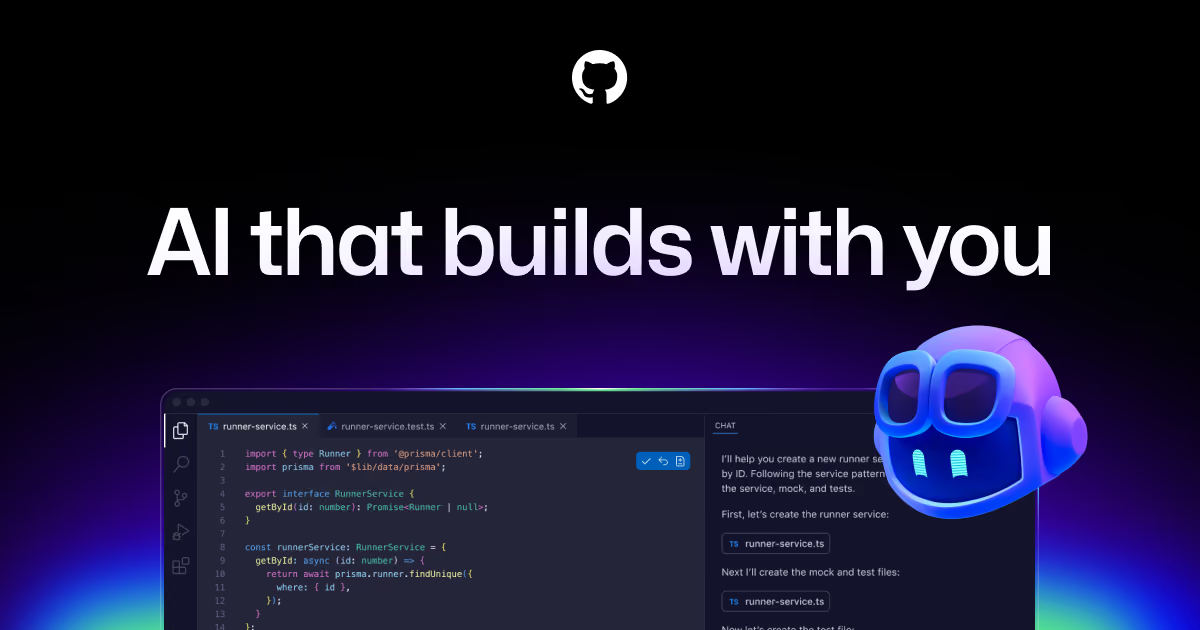
GitHub Copilot is the tool that made AI-assisted coding normal. It shipped as a technical preview in 2021, went general availability in 2022, and by 2026 it is used by millions of developers and a large share of the Fortune 500.
For most engineers the real question is no longer whether an AI assistant helps, because it does, but whether Copilot is still the right one now that Cursor, Devin Desktop, and Amazon Q have raised the bar on agentic coding.
This review is written for working software engineers and the leads who buy their tools.
We cover what Copilot actually is in 2026, how it fits into a real editing workflow, the model lineup, the premium-request and AI-credit billing that trips people up, what each plan costs, where Copilot is genuinely excellent, and where it falls short of the newer agent-first editors.
We also name four alternatives worth trying before you standardize a team on any one of them.
What is GitHub Copilot?
GitHub Copilot is an AI coding assistant built by GitHub, owned by Microsoft, that lives inside your editor and across the GitHub platform.
At its core it does three things: inline code completion that suggests the next line or whole function as you type, Copilot Chat for asking questions about code, generating snippets, and debugging in natural language, and agent mode, where Copilot plans a change, edits multiple files, runs commands, and iterates toward a goal you describe.
What separates it from a single-model tool is model choice. One subscription gives you access to several frontier models, including Anthropic Claude (Sonnet and, on higher tiers, Opus), OpenAI GPT, and Google Gemini, so you can pick a fast, cheap model for boilerplate and a stronger reasoning model for hard refactors.
Copilot runs in VS Code, Visual Studio, the JetBrains IDEs, Neovim, and Xcode, plus Copilot in the CLI for shell commands and Copilot on github.com for asking questions about a repo, reviewing pull requests, and assigning issues to the Copilot coding agent.
On the top plans it adds enterprise codebase indexing, so answers and completions are grounded in your organization's own code rather than generic training data.
How GitHub Copilot works
Day to day, most of the value is invisible. You type, and Copilot proposes greyed-out completions you accept with Tab. Next-edit suggestions predict the follow-on change across the file, which is where a lot of the real time savings hide.
None of this consumes your paid allowance, so the autocomplete you use hundreds of times a day is effectively free once you are on a paid plan.
The heavier features work differently. Copilot Chat opens a side panel where you reference files, symbols, or the whole workspace and ask for an explanation, a test, or a fix.
Agent mode takes a prompt like "add pagination to this endpoint and update the tests," then reads context, edits several files, runs the test suite, and shows you a diff to approve.
On github.com you can hand an issue to the Copilot coding agent, which spins up its own environment, pushes a branch, and opens a pull request for human review. Copilot code review can leave inline comments on PRs automatically.
The part engineers need to understand is metering. Completions are unlimited, but chat, agent runs, code review, and CLI requests draw from a monthly pool.
Historically that pool was counted in premium requests, and in June 2026 GitHub moved paid plans to token-based AI Credits, so a single long agent session on a large model can burn far more of your allowance than a quick chat.
Run out and you either stop, wait for the monthly reset, or pay overage. In practice this means picking the right model for the job is not just about quality, it is about cost.
GitHub Copilot key features
GitHub Copilot pricing
GitHub Copilot, Cursor, Devin Desktop, Amazon Q Developer, and Zed all publish list prices and a free plan, so none of this set is quote-only. The cheapest paid entry is a tie at $10 a month between Copilot Pro, the plan most individual engineers want, and Zed Pro, and Copilot pairs it with a real free plan at $0, not a trial.
Costs jump at Copilot Pro+ ($39 a month) and Max ($100 a month), Cursor Ultra and Devin Max ($200 a month), and team seats such as Copilot Business at $19 per user per month and Cursor Teams from $40 per user per month.
Copilot's included AI Credits total 1,500 on Pro, 7,000 on Pro+, and 20,000 on Max, at $0.01 each, and premium overage moved from $0.04 per request to about $0.01 per credit in June 2026. Students, teachers, and maintainers of popular open-source projects can get Copilot Pro free, and inline completions on paid plans stay outside that credit pool.
| Plan | Price | Best for |
|---|---|---|
| GitHub Copilot Free | $0 | 2,000 completions per month plus entry-level models, limited agent, Haiku-class and GPT mini |
| GitHub Copilot Pro | $10/mo | Unlimited completions and chat, about $15 credits, was 300 requests |
| GitHub Copilot Pro+ | $39/mo | Claude Opus for heavy use, about $70 credits, was 1,500 requests |
| GitHub Copilot Max | $100/mo | 20,000 AI credits a month and priority access to premium models |
| GitHub Copilot Business | $19/user/mo | Org policy, license control, IP indemnity, data protections, about $19 credits |
| GitHub Copilot Enterprise | $39/user/mo | github.com, codebase indexing, knowledge bases, about $39 credits |
| GitHub Copilot legacy overage | $0.04 per request | Extra premium requests under the old quota |
| GitHub Copilot credit overage | Near $0.01 per credit | 2026 token rate after included credits |
| Cursor Free | Free | Free plan |
| Cursor Pro | $20/mo | Individual paid plan |
| Cursor Ultra | $200/mo | For heavy usage |
| Cursor Teams | From $40/user/mo | Team seats |
| Devin Desktop Free | Free | Free tier with a daily quota |
| Devin Desktop Pro | $20/mo | Higher daily and weekly quotas with frontier models |
| Devin Desktop Max | $200/mo | Top plan for heavy use |
| Devin Team | $40 per full seat, $80/mo minimum | Up to 200 users; two full seats cover the minimum, each with its own quota |
| Amazon Q Developer Free | Free | Free tier available |
| Amazon Q Developer Pro | $19/user/mo | Monthly allowance of agentic requests and code transformations |
| Zed Personal | Free | 2,000 accepted edit predictions, unlimited use with your own keys |
| Zed Pro | $10/mo | Unlimited edit predictions and $5 of hosted-model tokens |
| Zed Business | $30/seat/mo | Org-wide AI policies, data governance, unified billing |
GitHub Copilot pros and cons
What we like
- Unbeatable value: a real Free tier and a $10 Pro plan with unlimited completions.
- Multi-model access to Claude, GPT, and Gemini in one governed subscription.
- Works everywhere engineers already do: VS Code, JetBrains, Neovim, the CLI, and github.com.
What could be better
- Premium chat and agent usage are metered, and heavy users can hit overage costs.
- Historically less agentic and autonomous than Cursor for big multi-file tasks.
- At its best inside the GitHub and Microsoft ecosystem; chat quality varies by chosen model.
Who GitHub Copilot is for
Copilot is the safe, high-value default for most professional engineers, and an especially easy call for anyone already on GitHub.
If your team reviews code in GitHub pull requests, uses VS Code, Visual Studio, or JetBrains, and wants Claude, GPT, and Gemini in one governed subscription without adopting a new editor, Copilot is hard to beat on value and fit.
The $10 Pro plan is one of the best deals in developer tooling, and the real Free tier means there is no reason not to try it.
It is a weaker choice in a few cases. Teams that want the most autonomous, agent-first editing experience for large multi-file changes may find Cursor or Devin Desktop ahead of Copilot's agent. Shops deep in the AWS ecosystem who want infrastructure-aware assistance and security scanning will lean toward Amazon Q Developer.
And developers who want a fast native editor running on their own API keys should look at Zed. Copilot is at its best inside the GitHub and Microsoft world, and slightly less compelling the further you get from it.
Best GitHub Copilot alternatives
If GitHub Copilot is not the right fit, these are the closest options.
| Tool | Best for | Starts at | |
|---|---|---|---|
| GitHub Copilot | Professional engineers and teams already on GitHub who want multi-model AI in their existing IDE at low cost. | From $10/mo (Pro) | Visit → |
| Cursor | Engineers who want the most polished agent-first editing experience and will adopt a dedicated IDE. | From $20/mo (Pro) | Visit → |
| Devin Desktop (formerly Windsurf) | Developers who want an agentic AI IDE with a clean flow-based UX and a generous free tier. | From $20/mo (Pro) | Visit → |
| Amazon Q Developer | Teams building on AWS who want cloud-aware assistance, security scanning, and code transformation. | From $19/user/mo (Pro) | Visit → |
| Zed | Developers who want a fast native editor and prefer their own model keys or external agents. | From $10/mo (Pro) | Visit → |


The bottom line
GitHub Copilot remains the smart default, and in 2026 that is a compliment rather than a hedge. It offers the best value in the category, a real Free tier, unlimited completions that cost nothing extra, multi-model access to Claude, GPT, and Gemini, and coverage across every major IDE plus the CLI and github.com.
For any team already shipping code through GitHub, it is the path of least resistance and, usually, the right one.
The honest caveats are worth pricing in. The move to token-based AI Credits means heavy agent users need to watch overage, chat quality depends on the model you select, and for the most autonomous multi-file editing Copilot's agent has historically trailed Cursor.
Buy Copilot if value, governance, and fit with your existing tools matter most. Try Cursor or Devin Desktop if you want the sharpest agent and will switch editors, reach for Amazon Q Developer if you live on AWS, and pick Zed if you want a fast native editor on your own keys. For most engineers, though, the $10 Pro plan is the easiest yes in developer tooling.
Frequently asked questions
How much does GitHub Copilot cost?
Is the GitHub Copilot free plan any good?
What AI models does GitHub Copilot use?
GitHub Copilot vs Cursor: which is better?
What changed with GitHub Copilot billing in 2026?
Sources
Prices and plan details come from each vendor's own pricing page, re-checked by the Toolradar pricing tracker.
- GitHub Copilot pricingchecked Sep 2026
- Cursor pricingchecked Sep 2026
- Devin Desktop pricingchecked Sep 2026
- Amazon Q Developer pricingchecked Sep 2026
- Zed pricingchecked Sep 2026
Some offers on this page may be paid placements or contain affiliate links.
Get the Devshot brief
Free daily newsletter, read in 5 minutes.
Subscribe free