
Raycast Review 2026: Pricing, Pros, Cons and Alternatives
What Raycast Free already covers for developers, what Pro, Pro+ and Max add, how the new AI credit system works, what a team pays per seat, and when Alfred, LaunchBar or PowerToys is the better launcher.

Raycast is worth it in 2026 for most developers on the free plan alone, and Pro is worth paying for only if you will use its AI. Pro costs $8 a month billed yearly ($96) or $10 month to month, Pro+ $20 and Max $50 a month on monthly billing, and Teams Pro $12 per user a month billed yearly, per Raycast's pricing page on November 9, 2026.
Raycast AI now runs on credits: Pro includes 500 a month, Pro+ 3,000 and Max 7,500, and top-tier models need Pro+ or Max. Raycast says there is no Pro plan without AI, so the sync and clipboard extras come bundled with it.
Key factsBest for: Developers who want a free extensible launcher, with…
- A keyboard launcher with clipboard history, snippets, window management and a large extension store, plus credit-based AI.
- Free plan: Launcher, extensions, custom extensions, developer tooling and 3 months of clipboard history, for personal and work use.
- Entry paid plan: Pro adds Raycast AI with 500 credits a month, Cloud Sync, unlimited clipboard history and custom themes.
- Yearly discount: Yearly billing takes 20% off every paid plan, individual and team.
- Toolradar data: Raycast is listed as an alternative to 103 tools on Toolradar, #1 of 30 clipboard managers, November 2026.
Pros
- Free plan includes extensions, custom extensions and developer tooling for work use
- Bring your own key or Claude and ChatGPT subscription on any paid plan
- Free Team plan with a Private Store for internal extensions
Cons
- No Pro plan without AI, so sync costs the AI price
- Top-tier models need Pro+ or Max
- Top-up prices appear only in the purchase dialog
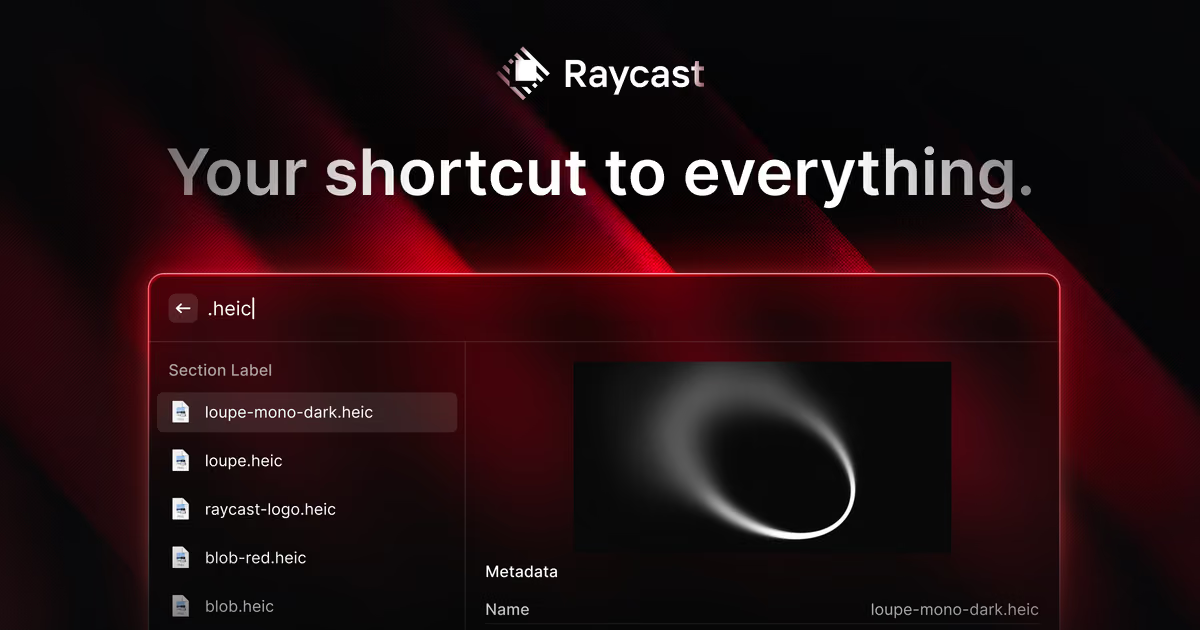
Raycast is a keyboard launcher that replaces Spotlight on the Mac and now also runs on Windows 10 and later. Its free plan is the real product for most developers: app and file search, clipboard history, snippets, window management and thousands of community extensions, with no cost for personal or company use.
Our take: install Free first and pay only when AI chat inside the launcher earns a place in your day, because that is what every paid plan is built around. If you already pay for ChatGPT or Claude, Pro's bring-your-own-subscription option changes the maths, as the pricing section explains.
Toolradar data: Raycast is listed as an alternative to 103 other tools on Toolradar, the software directory we run, which puts it #1 of 30 in clipboard managers. Its compare pages drew 224 visits in the last 30 days, #1 of 9 with 20 or more, per the Raycast profile as of November 2026.
Methodology: plans, credits and terms were read on November 9, 2026 on Raycast's pricing page, its AI credits manual page and its Windows page; alternatives were read the same day on their own sites. Yearly totals are our arithmetic on printed prices; we did not benchmark Raycast's speed or AI answers.
What is Raycast?
Raycast opens with a shortcut and lets you search apps and files, run commands and trigger extensions without touching the mouse. Built in are Clipboard History, Quicklinks, a calculator, Snippets, an emoji picker, Window Management and Raycast Notes, plus a Raycast app for iOS.
For developers, the extension platform is the draw. The free plan includes thousands of store extensions, custom extensions you write yourself and Raycast's developer tooling, so a script you run ten times a day can become a command with arguments and a keyboard shortcut.
Raycast AI sits on top of the launcher on paid plans: Quick AI, AI Chat, agents, AI commands and AI extensions, with Screen Awareness, Memory and a Profile to add context. You can bring your own API key, connect a Claude or ChatGPT subscription, use custom providers or run local models through Ollama, which our Ollama review covers.
How Raycast works
Every paid plan gets a monthly allowance of AI credits. Credits measure usage, not messages: each model spends them at its own rate, input and output are priced differently, and long chats, attachments and tool calls all cost more. Unused monthly credits roll over for one extra cycle, so each grant expires 60 days after it arrives.
When credits run out, Raycast AI stops until the next allowance or a top-up. Top-ups come in packs of 500, 2,500, 5,000 and 10,000 credits, last 12 months and need an active paid plan; their prices appear only in the purchase dialog. A model you supply through your own key or subscription does not spend Raycast credits at all, which is the cheapest route for heavy AI users who already pay a provider.
Users still on Raycast v1 have a transition period. Before December 17, 2026, AI keeps working at zero credits under the old request limits. From that date it stops when credits hit zero, and new top-tier models added since September 10, 2026 are only in v2. Teams pay per user with no seat minimum, and the free Team plan is not a trial.
Raycast key features
Raycast pricing
Prices were read on November 9, 2026 on Raycast's pricing page. Yearly billing saves 20% on every paid plan. By our arithmetic, Pro costs $96 a year against $120 for twelve months on monthly billing, Pro+ $192 against $240, and Max $480 against $600. Verified students get 50% off Pro only.
| Plan | AI credits a month | Monthly billing | Yearly billing |
|---|---|---|---|
| Free | None | $0 | $0 |
| Pro | 500 | $10/mo | $96/yr |
| Pro+ | 3,000, top-tier models | $20/mo | $192/yr |
| Max | 7,500, top-tier models | $50/mo | $480/yr |
| Teams Pro | 500 per user | $15/user/mo | $144/user/yr |
| Teams Pro+ | 3,000 per user | $25/user/mo | $240/user/yr |
| Teams Max | 7,500 per user | $65/user/mo | $624/user/yr |
A 5-developer team pays $720 a year on Teams Pro billed yearly, by our arithmetic, for shared commands, snippets and quicklinks without limits, a Private Store for internal extensions and 500 AI credits per person. The free Team plan costs nothing but caps sharing at 30 snippets, 30 quicklinks and 5 commands, which is enough for many small teams. SAML, SCIM and the AI Control Center are Enterprise-only, with custom pricing billed annually.
The question for an individual is whether Raycast AI replaces something you pay for. Pro's 500 credits go furthest on cheaper models. A developer who already has a Claude or ChatGPT subscription can connect it and spend no Raycast credits, which turns Pro into a sync-and-clipboard upgrade plus a front end for AI you already own.
| Plan | Price | Best for |
|---|---|---|
| Raycast Free | $0 | Launcher, extensions, custom extensions, developer tooling, Notes, iOS app, 3 months of clipboard history |
| Raycast Pro | $8/mo billed yearly, $10 month to month | Raycast AI with 500 credits, bring your own key, Cloud Sync, unlimited clipboard history, custom themes |
| Raycast Pro+ | $192/yr, $20 month to month | Everything in Pro with 3,000 credits and top-tier AI models |
| Raycast Max | $480/yr, $50 month to month | Everything in Pro with 7,500 credits and top-tier AI models |
| Raycast Teams Free | $0 | Unlimited members, Private Store, up to 30 shared snippets, 30 quicklinks and 5 commands |
| Raycast Teams Pro | $12/user/mo billed yearly, $15 month to month | Everything in Pro per user, unlimited shared commands, snippets and quicklinks |
| Raycast Enterprise | Custom | SAML and SCIM, domain capture, AI Control Center, extension and IP allow-lists, billed annually |
Raycast pros and cons
What we like
- Free plan includes extensions, custom extensions and developer tooling for work use
- Bring your own key or Claude and ChatGPT subscription on any paid plan
- Free Team plan with a Private Store for internal extensions
What could be better
- No Pro plan without AI, so sync costs the AI price
- Top-tier models need Pro+ or Max
- Top-up prices appear only in the purchase dialog
Who Raycast is for
Raycast fits developers who live on the keyboard and want scripts, snippets and window layouts one shortcut away. The free plan covers that completely, and a team can share snippets and internal extensions on the free Team plan before paying anything. Pair it with the editor and terminal picks in our best code editors ranking and Warp review.
Pay for Pro when AI in the launcher saves you a browser tab many times a day, or when you want Cloud Sync between a work Mac and a home machine. Pro+ makes sense only if you need top-tier models through Raycast's own credits; if you already pay for Claude, our Claude Code review shows where that subscription earns more of its keep.
Skip the paid plans if AI chat is not part of your day, since Raycast sells no AI-free Pro tier. Mac users who want a one-time purchase should look at Alfred, and Windows developers can start with Microsoft's free PowerToys Command Palette. For the wider stack, see dev tools for startups.
Best Raycast alternatives
If Raycast is not the right fit, these are the closest options.
| Tool | Best for | Starts at | |
|---|---|---|---|
| Raycast | Developers who want a free extensible launcher, with optional AI on paid plans | Free plan · Pro $10/mo per user · Teams Pro $15/mo per user · Plus $20 | Visit → |
| Alfred | Mac users who want workflows and clipboard history for a one-time payment | Free app | Visit → |
| PowerToys Command Palette | Windows developers who want a free keyboard launcher with WinGet and Terminal shortcuts | Free, part of Microsoft PowerToys for Windows | Visit → |
| LaunchBar | Mac users who want a mature launcher they can use free with occasional prompts | 30-day trial, then free use with occasional break prompts | Visit → |


The bottom line
Raycast is worth installing for every Mac developer in 2026, and worth paying for only when its AI replaces something you use daily. Start on Free, move to Pro on yearly billing if AI and sync earn their place, and connect your own Claude or ChatGPT account before buying Pro+ for top-tier models. Teams should exhaust the free Team plan's sharing limits before buying seats.
Compare on Toolradar: Raycast and Alfred. On Devshot, the Zed review, OrbStack review, database clients ranking and Cursor pricing cover the rest of a Mac developer setup. Devshot tracks developer tool price changes like this one: subscribe free.
Sources, read on November 9, 2026: Raycast pricing, Raycast AI credits, Raycast for Windows, Alfred shop, LaunchBar and PowerToys Command Palette. Yearly totals are our arithmetic.
Cite this: Devshot, 'Raycast Review 2026: Pricing, Pros, Cons and Alternatives', November 2026.
Frequently asked questions
Is Raycast worth it in 2026?
How much does Raycast Pro cost?
What are Raycast AI credits?
Is Raycast free for work use?
Does Raycast work on Windows?
Some offers on this page may be paid placements or contain affiliate links.
Get the Devshot brief
Free daily newsletter, read in 5 minutes.
Subscribe free