
Kiro Review 2026: AWS Spec-Driven IDE Pricing, Pros and Cons
What Kiro's credit plans cost per task, how model choice changes the bill, and when its spec workflow is worth paying for.

Kiro is worth it if you want a coding agent that writes requirements, a design and a task list before it touches code. Short answer on cost: the free tier gives 50 credits a month, Pro costs $20 per user a month for 1,000 credits, Pro+ $40 for 2,000, Pro Max $100 for 5,000 and Power $200 for 10,000, with add-on credits at $0.04 each, per Kiro's pricing page on October 18, 2026. Every paid plan works out to 2 cents per included credit, so the bigger plans buy volume, not a discount. The model you pick is the real price lever: Claude Opus 5 burns credits 2.2 times faster than Auto. Toolradar data: the AI coding ranking on Toolradar evaluated 179 tools as of October 2026, and 85% of them have a free plan, so Kiro's free tier is the category norm rather than a perk.
Key factsBest for: Teams that want requirements, design and a task list…
- AWS's spec-driven coding agent across IDE, CLI, web and mobile, billed in credits with model multipliers.
- Free tier: 50 credits a month
- Paid entry: Pro, $20 per user a month
- Included credit rate: 2 cents per credit on every paid plan
- Alternatives covered: Cursor, GitHub Copilot, Claude Code, OpenAI Codex
Pros
- Spec mode writes requirements.md, design.md and tasks.md before any code, so intent is reviewable.
- Every paid plan prices included credits at 2 cents, and 0.01-credit metering bills small prompts in fractions.
- Model choice runs from Qwen3 Coder Next at 0.05x to Claude Opus 5 at 2.2x, so cost follows the task.
Cons
- Add-on credits cost double the included rate, and included credits never roll over.
- Spec refinement, task execution and every hook run spend credits, so long specs cost more than one chat prompt.
- Third-party automation harnesses outside Kiro's own interfaces are not permitted on a subscription.
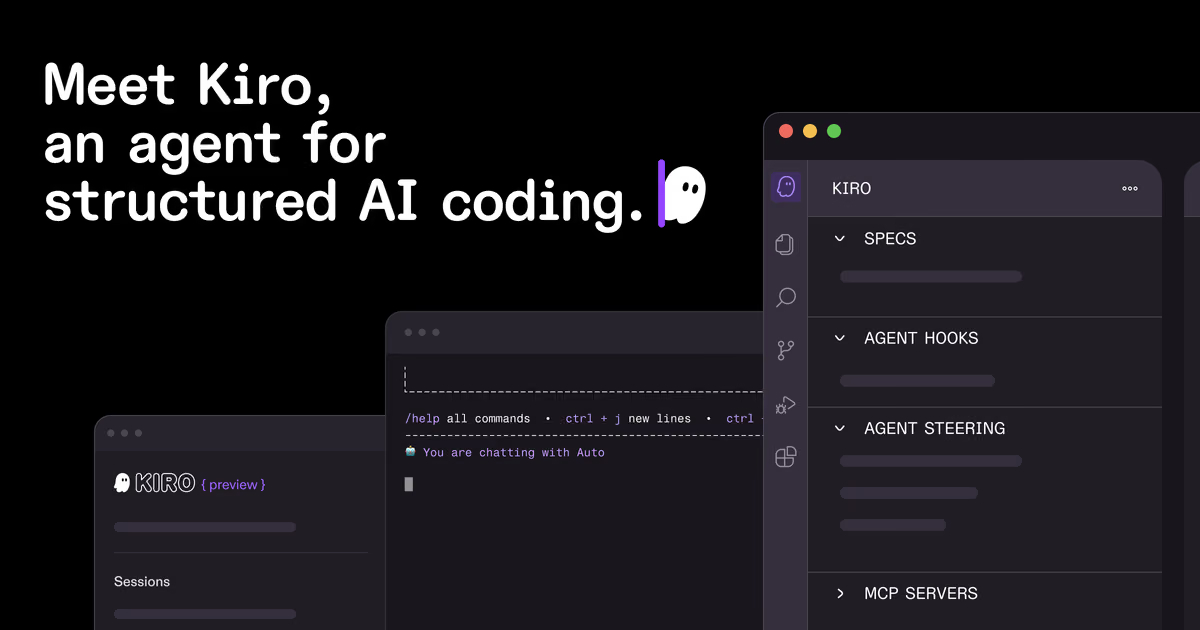
Kiro is the AWS-built coding agent that asks you to plan before it builds. Where most AI editors turn a prompt straight into a diff, Kiro's spec mode first produces a requirements file, a design document and a sequenced task list, and only then writes code. That workflow is the reason to pick it, and the credit meter is the reason to read the fine print.
This review is for developers and engineering leads weighing Kiro against Cursor, GitHub Copilot, Claude Code and Codex. It covers what the product does, what each plan costs per unit of work, how the model multipliers change that cost, and where a flat-rate plan elsewhere is the better buy. Devshot runs no test lab, so every figure comes from Kiro's own pricing page and documentation, not from a trial account.
What is Kiro?
Kiro describes itself as an agentic AI with an IDE, a CLI, a web interface, a mobile app and Kiro Crew, all built and operated by AWS. The common thread is spec-driven development: the agent turns a prompt into requirements, an architecture and a list of tasks, then works through that list. You can still chat with it in vibe mode for quick changes, and both modes draw on the same credit balance.
Around the agent sit the features that make it a team tool rather than a chat window. Hooks run shell commands or agent prompts when events happen, such as a file save or a finished task. Steering files carry project conventions across every Kiro interface, and MCP servers plus Kiro's Powers connect tools such as Figma, Terraform, Postman, Datadog and Stripe. Model choice spans OpenAI's GPT-5.6 tiers, Anthropic's Claude models and open weight models such as DeepSeek 3.2 and Qwen3 Coder Next.
How Kiro works
A spec moves through three phases, according to Kiro's spec documentation. The analysis phase writes requirements.md for a feature, or bugfix.md comparing current and expected behavior for a bug. The design phase writes design.md with the architecture and data flow, and the tasks phase writes tasks.md with discrete, trackable steps. For a well-understood feature, Quick Spec generates all three files without approval gates.
Execution is where the time savings come from. Kiro reads the dependencies between tasks and runs independent ones together in waves: waves run in sequence, and the tasks inside a wave run concurrently. Each of those steps spends credits, and so do spec refinement and every hook that fires, so a long spec with many hooks costs more than the same change made in one chat prompt. The dashboard shows credits used and remaining, updated at least every five minutes.
Kiro key features
Kiro pricing
Kiro sells credits, and every paid plan prices them the same way. Divide each plan's fee by its included credits and Pro, Pro+, Pro Max and Power all come to 2 cents per credit, so a bigger plan buys more volume at the same unit price. Add-on credits cost $0.04 each, twice the included rate, sold in packs that start at $5 for 125 credits. Add-ons roll over for 12 months; included credits reset each billing month and never roll over.
Our arithmetic gives a simple upgrade rule. A Pro user who needs 2,000 credits a month pays $60 once the extra 1,000 come from add-on packs, while Pro+ includes the same 2,000 credits for less. Because add-ons cost double, upgrading beats topping up as soon as you would buy more than 500 add-on credits in a month. Below that, a one-off pack is cheaper than a bigger plan.
The model multiplier changes what a credit buys. Credits are measured against Auto at 1.0x, per Kiro's models page. On a Pro plan's 1,000 credits, work that would cost 1,000 credits on Auto fits about 769 credits' worth on a 1.3x Sonnet model, 500 on Claude Opus 5.5 at 2.0x and about 455 on Claude Opus 5 at 2.2x. Going the other way, Claude Haiku 4.5 at 0.4x stretches it to 2,500, and Qwen3 Coder Next at 0.05x to 20,000. A credit is metered to two decimals, so the smallest task costs 0.01 credits.
The sign-up bonus is prorated. The first upgrade through social login or AWS Builder ID credits one month of the plan price toward the subscription, and subscriptions bill on the first of each month. Kiro's own example: upgrading to Pro on June 15 credits $10 for the rest of June and cuts the July 1 charge to $10. Enterprise is a sales contract with centralized billing and SSO, where admins can turn on overages at the add-on rate, billed at month end and off by default. Kiro in AWS GovCloud costs about 20% more and has no free tier.
Methodology: we read Kiro's pricing page, its models page and its spec documentation on October 18, 2026, with competitor prices from Cursor's pricing page, GitHub Copilot plans, Claude's pricing page and OpenAI's Codex pricing docs the same day. Per-credit rates and upgrade points are our arithmetic on those list prices; nothing here comes from a benchmark.
| Plan | Price | Best for |
|---|---|---|
| Free | $0 | 50 credits a month with Claude Sonnet 4.5 and open weight models, subject to rate limits |
| Pro | $20 per user/month | 1,000 credits, premium models including Auto, Claude Sonnet 5 and Claude Opus 5, add-on credits available |
| Pro+ | $40 per user/month | 2,000 credits with the same premium models and add-on credits |
| Pro Max | $100 per user/month | 5,000 credits with the same premium models and add-on credits |
| Power | $200 per user/month | 10,000 credits, the largest individual allowance |
| Add-on credits | $0.04 per credit | Packs from 125 credits; unused add-ons roll over and expire after 12 months |
| Enterprise | Contact sales | Centralized billing, SSO, usage analytics, security controls and optional overages |
Kiro pros and cons
What we like
- Spec mode writes requirements.md, design.md and tasks.md before any code, so intent is reviewable.
- Every paid plan prices included credits at 2 cents, and 0.01-credit metering bills small prompts in fractions.
- Model choice runs from Qwen3 Coder Next at 0.05x to Claude Opus 5 at 2.2x, so cost follows the task.
What could be better
- Add-on credits cost double the included rate, and included credits never roll over.
- Spec refinement, task execution and every hook run spend credits, so long specs cost more than one chat prompt.
- Third-party automation harnesses outside Kiro's own interfaces are not permitted on a subscription.
Who Kiro is for
Kiro fits a developer or team that wants a written plan before the agent writes code. Requirements, design and tasks land in the repository as files, so a reviewer can check intent before checking diffs, and a new teammate can read why a feature exists. Larger teams get a second reason in Enterprise, which adds centralized billing, SSO and overages an admin switches on.
Budget-minded solo developers should pick the model before the plan. Staying on Auto or Haiku 4.5 keeps the Pro allowance stretching across a month, while defaulting to Claude Opus 5 cuts the same allowance by more than half. If you mostly want inline completions and quick chat, GitHub Copilot costs half as much at the entry level.
Kiro is a weaker fit when you want a bill that does not move with usage. Claude Code on Claude Pro and Codex on ChatGPT Plus sell a flat monthly plan with usage limits rather than metered credits. Kiro also forbids routing a subscription through third-party automation harnesses outside its own interfaces, so a team that wants one key for every tool should look elsewhere. For the broader field, see the best AI coding assistants and the vibe coding tools roundups.
Best Kiro alternatives
If Kiro is not the right fit, these are the closest options.
| Tool | Best for | Starts at | |
|---|---|---|---|
| Kiro | Teams that want requirements, design and a task list written before the agent edits code. | Free with 50 credits | Visit → |
| Cursor | Developers who want an AI-first editor and accept third-party models billed on top. | Free | Visit → |
| GitHub Copilot | Developers who want the cheapest paid assistant inside GitHub and their current editor. | Free | Visit → |
| Claude Code | Developers who want Anthropic's agent inside a flat monthly plan rather than metered credits. | Included with Claude Pro at $20/month ($17/month billed annually) | Visit → |
| OpenAI Codex | Developers already paying for ChatGPT who want a coding agent in the same plan. | Included with ChatGPT Plus at $20/month | Visit → |


The bottom line
Kiro is worth paying for when the spec workflow is the point, and the cheapest way to try it is the free tier, then Pro. All paid plans price included credits at 2 cents, so pick the plan by monthly volume, and upgrade once you would otherwise buy more than 500 add-on credits in a month. The model matters more than the plan: Auto and Haiku 4.5 stretch an allowance, while Claude Opus 5 at 2.2x shrinks it to under half.
Skip Kiro if you want a fixed bill or the lowest entry price. GitHub Copilot starts at half the price, and Claude Code or Codex bundle an agent into a flat plan with usage limits. For the editor alternative, read the Cursor review and Cursor pricing; for Copilot's plans, GitHub Copilot pricing; for Anthropic's agent, Claude Code pricing. Directory records: Cursor, GitHub Copilot and Claude Code on Toolradar.
Cite this: Devshot, 'Kiro Review 2026: AWS Spec-Driven IDE Pricing, Pros and Cons', October 2026.
Frequently asked questions
How much does Kiro cost in 2026?
Is Kiro free?
What is a Kiro credit worth?
Should I buy add-on credits or upgrade my Kiro plan?
Is Kiro better than Cursor?
Sources
Prices and plan details come from each vendor's own pricing page, re-checked by the Toolradar pricing tracker.
- Cursor pricingchecked Sep 2026
- GitHub Copilot pricingchecked Sep 2026
- Claude Code pricingchecked Sep 2026
- OpenAI Codex pricing
Some offers on this page may be paid placements or contain affiliate links.
Get the Devshot brief
Free daily newsletter, read in 5 minutes.
Subscribe free